01
Keep every job moving
From the first details to the final visit. Organize job status, schedules, notes, and work items.
You know your trade. We help you run the rest.
Jobs, customers, estimates, and invoices — in one focused app built for independent contractors.
From the first customer call to the finishing touches, keep the business side of your craft close at hand.

Keep customer details, job notes, materials, and the next appointment together. Then send the estimate or invoice from the same workspace.
See the app in action
Illustrative scenes · Explore the real app screens below
All the everyday essentials, thoughtfully connected. So you can focus on the work with your name on it.
From the first details to the final visit. Organize job status, schedules, notes, and work items.
Keep contact information and linked jobs together, ready for your next conversation.
Prepare estimates, record acceptance, and turn an accepted estimate into an invoice.
Record full or partial payments, see outstanding balances, and share customer receipts.
Keep job photos and notes with the work they belong to. Less searching, more doing.
Create a complete ZIP backup of your records and photos, and restore when you need it.
 38 professional designs
A great impression doesn’t stop at the job site. Send estimates, invoices, and receipts that feel like your business.
Choose from 38 designs, including 18 made for specific trades.
Browse all 38 designs ↘Explore all 20 general designs and 18 trade designs. Choose any name below to compare its invoice and payment receipt.
Timeless navy letterhead
Select the document to see it at full size.
Select the document to see it at full size.
Rendered from the app’s actual document templates using fictional example records. These show document designs; payments are recorded outside the app.
Explore the full workflow: customers and jobs, materials and notes, quotes and payments, business settings, and in-app help.
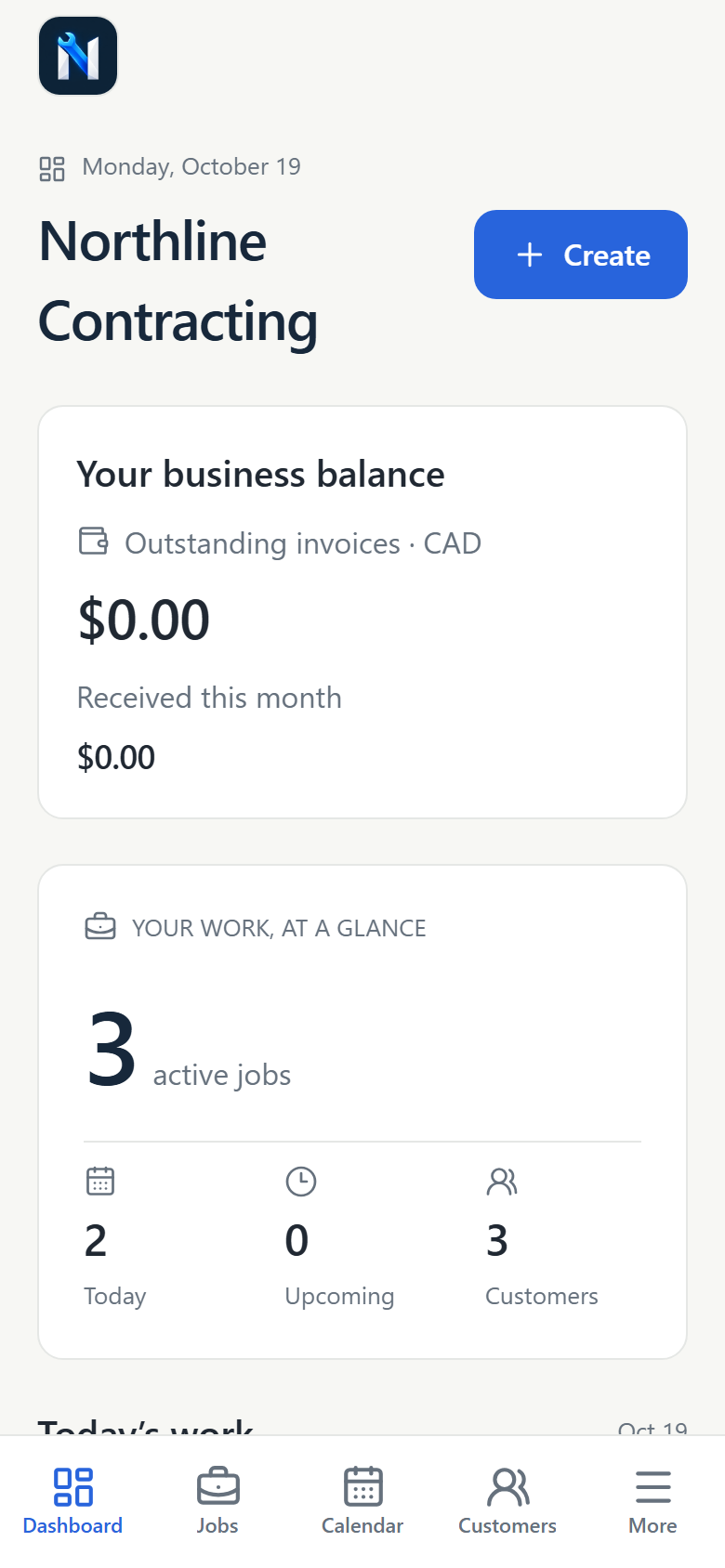
Your active jobs, today’s appointments, and recent activity in one view.
Find your work and follow it from draft through completion.
Customer information, job status, and the scope of work together.
Edit the scope, customer, job status, priority, and schedule.
Add materials or labour with quantities, costs, and customer rates.
Review saved materials and labour inside the job workspace.
Save measurements, finish selections, and next-visit notes alongside the job.
Keep the people behind your projects easy to find.
View contact information and linked jobs, with call and email actions.
Edit contact information and expand the form for addresses and other details.
See scheduled work in the app’s calendar.
Switch to the weekly schedule to plan upcoming work.
See the day’s scheduled jobs and appointment times.
Build an estimate and track your customer’s decision.
Record customer acceptance, then convert the estimate into an invoice.
Search estimates and filter the list by document status.
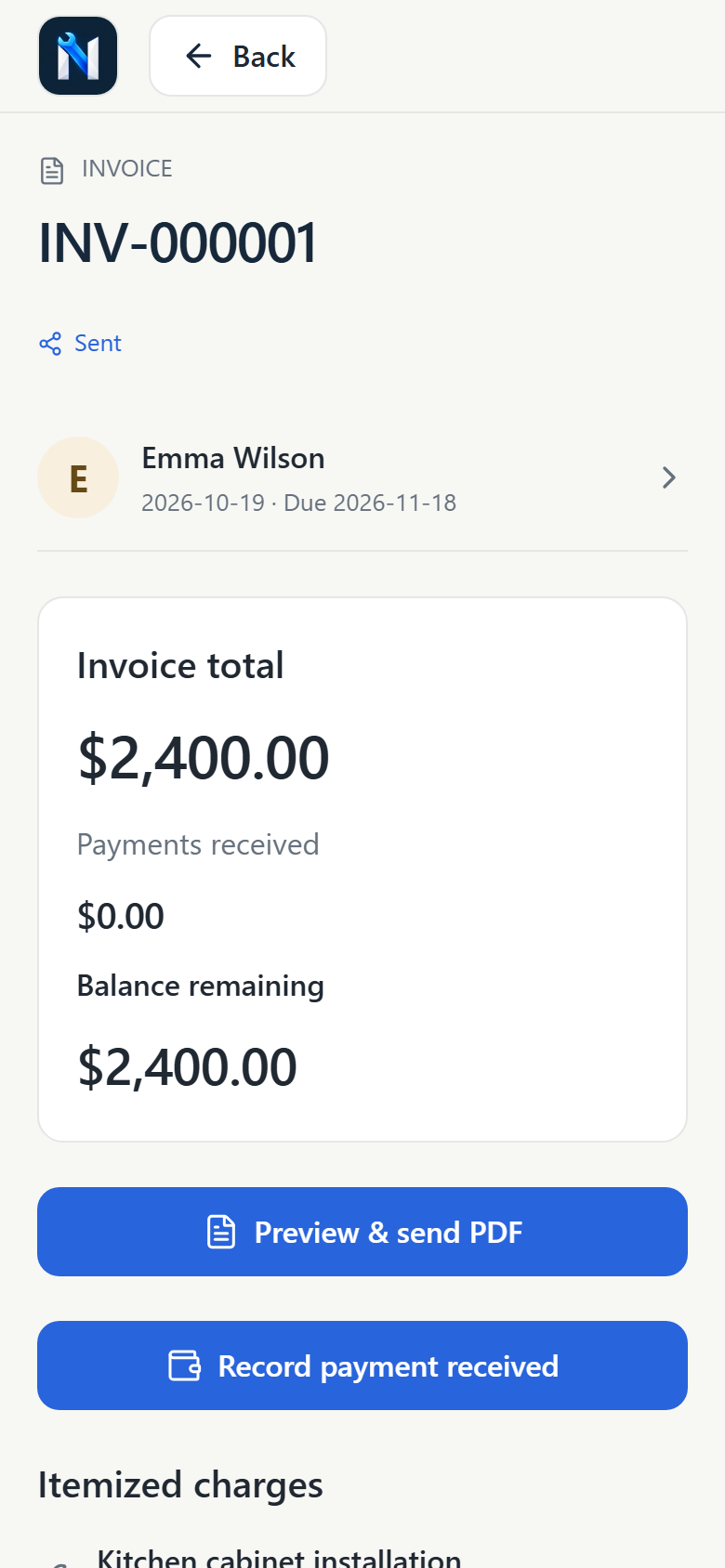
Review the invoice total, outstanding balance, and payment actions.
Choose from the current collection of general and trade document designs.
Preview an original carpentry design with your real invoice details.
Inspect the actual itemized invoice inside the app’s customer document preview.
Enter a full or partial payment against an issued invoice.
Record a partial payment and see the remaining balance update.
Preview a customer receipt directly in the app.
Review the receipt document, payment amount, and remaining balance.
Review invoice numbers, payment dates, methods, and amounts in your payment history.
Search issued invoices and filter by status.
Open billing tools, business settings, appearance, backup information, and help.
Manage your business identity, contact details, and document preferences.
Create job categories that match the services you offer.
Select light mode, dark mode, or follow the device’s appearance.
See the app’s dark appearance with the recorded payment and outstanding invoice balance.
The browser preview shows storage information. Backup, restore, and photo export are available in the mobile app.
Follow the bundled guide from business setup and first customer to billing and backup.
Search the bundled FAQ and expand a question for more detail.
Find the app version, support address, and advice on reporting an issue.
Fresh captures of the current app’s phone-size web preview. Business and customer details are fictional demonstration data.
Add your business details, logo, and tax settings. Make the app feel like your own.
Add customers, create jobs, and keep appointments, photos, and notes in one place.
Share an estimate, create an invoice, and record payments as they come in.
Independent contractors and people running a one-person service business. It brings customer details, jobs, estimates, invoices, and payment records into one mobile workspace.
Core business records are stored on your device, and document templates work offline. Calling, emailing, maps, or sharing through another app may need a connection.
The current app does not require an account. Your business records stay in local app storage; NabixSoft does not automatically receive them.
Solo Contractors records payments you receive outside the app. It supports partial payments and receipts, but does not process card payments or transfer funds.
Yes. Add your business details and logo, choose from 38 general and trade-inspired designs, and use Letter or A4 paper. Preview, share, or print customer PDFs from your phone.
Use Data & backup to create a complete ZIP and save it somewhere safe. Backups are manual and unencrypted. Losing your device or deleting the app can lose local records, so keep regular backups.
Solo Contractors targets iOS and Android. Store links will appear here when supplied and available. Contact NabixSoft for current availability.
Make room for the work you love with Solo Contractors.
For Android and iOS: Privacy Policy · Terms of Service
Store availability is pending. Contact us for release information.